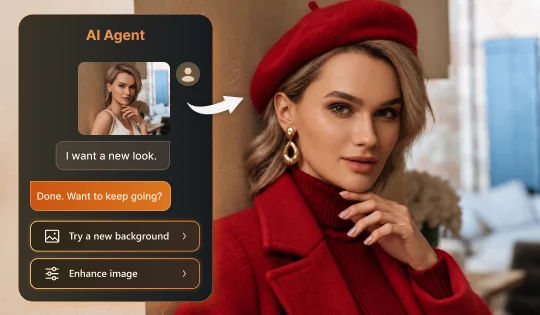
AI Agent
Ask in plain language and the Agent generates a new image, edits one you already have, or opens the right PhotoDirector tool for the job, and you can drop in a reference photo to show the look you are after.




All-in-One Photo Editor

Our latest releases including brand new features, effects packs, templates & more!
Ask in plain language and the Agent generates a new image, edits one you already have, or opens the right PhotoDirector tool for the job, and you can drop in a reference photo to show the look you are after.
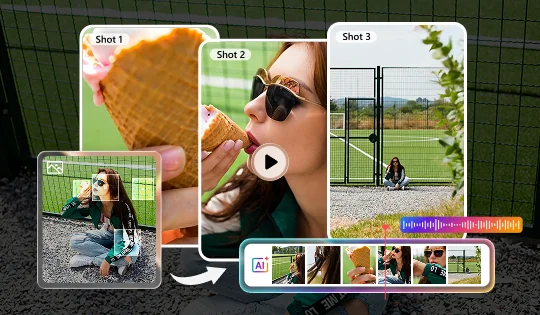
Transform a single photo into a film-quality short with AI-generated cinematic camera movement, natural sound, and matching background music.
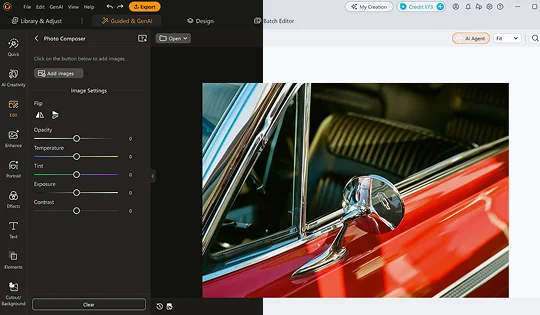
Choose the appearance that suits your workspace and editing environment.
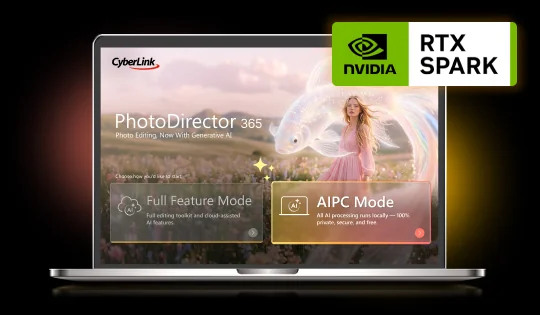
AI PC Mode now runs on NVIDIA RTX Spark. Run AI features locally on your PC, with your files staying on your device and no credits used.
Find any photo in your library instantly. AI understands what is in your images, so you can search by objects, scenes, and more.
Run the GAI Image Enhancer across an entire collection in one pass, so a whole shoot is export-ready in minutes.
Added GPT Image 2.5, Seedream 5.0, Gemini Omni Flash, and more for Text to Image, Image to Video, and Text to Video.
New engine, plus support for a reference hairstyle image.
PhotoDirector now supports Turkish for a more localized editing experience.
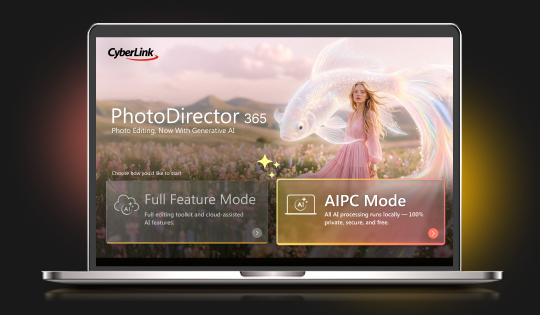
On Intel AI PCs, switch to AI PC Mode to run 22 AI features locally, including Edit by Chat and AI Image Generator. Your files stay on your device, and no credits are used.
Improved reference-image understanding and delivering more accurate, visually consistent replacements.
Added Kling 3.0 and SCAIL-2. Kling 3.0 keeps character and clothing details consistent, while SCAIL-2 gives smoother, more stable motion.
Gemini Omni, Wan3.0, Seedance 2.5 and 2.0 – Generate realistic, expressive videos with natural motion, lighting, faces, and consistent characters. Create clips up 30 seconds with Wan3.0 and Seedance 2.5, the longest duration available.
You can now import and edit WebP images, the format you often get when saving images from the web.
Add clear AI labels to generated videos, images, and audio, with watermark controls in Preferences for transparent sharing.
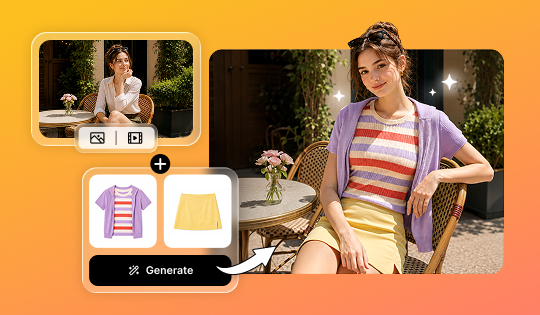
Change outfits in videos with AI Video Try-On. Replace a full outfit, swap individual clothing items, or describe a new look with text prompt
Choose from multiple AI models in Edit by Chat for more flexible results. Select the model that best matches your creative style and editing needs.
Now with custom editing. Start with AI-generated layouts and make them completely your own.
Instantly elevate any photo with AI-powered clarity and detail in a single click.
PhotoDirector now supports Indonesian for a more localized editing experience.
Expand RAW compatibility with LibRaw integration, adding support for 280 additional camera models.
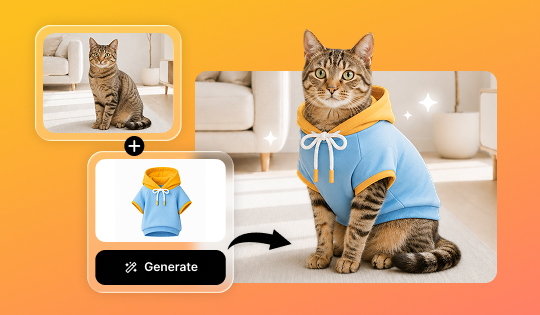
Now supporting pet photos! Upload an image of your dog or cat and instantly see them styled in a variety of fun outfits.
Jump back into your workflow faster with the new Recent Tasks tab. Your latest projects and edits are just one click away.
Now supporting Panasonic LUMIX G9 Mark II (RW2) and Nikon Z6III (NEF) RAW formats, enabling smooth import, viewing, and editing of the latest high-quality camera files.
Make more precise edits using reference images. Select an area, add a reference, and let AI realistically replace and blend elements into your scene.
Transform images into videos with superior motion quality and native audio sync, now with expanded model support including Wan 2.7, PixVerse v6, and Happy Horse 1.0.
Transform ideas into high-detail visuals with precise prompt understanding, now powered by Seedream 5.0 Lite.
Now supports Polish for a more localized editing experience.
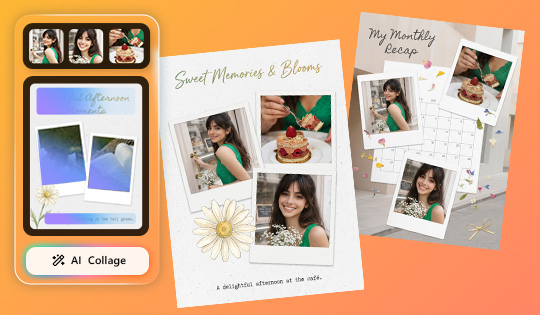
Turn everyday moments into fun, shareable collages in seconds. Start with templates and let the AI mix and match your photos into polished layouts.
Imported clothing now appears more natural and detailed on your photo, with improved fit, fabric realism, and overall visual quality.
Now supports Kling O3 for smoother motion, richer detail, and more cinematic video generation.
Now supports Nano Banana 2, Kling O3, and GPT Image 2 for improved detail and smarter prompt-based image generation.
Text to Image now supports reference images with certain integrated AI models, giving you greater control over style, composition, and visual direction.
Run wire removal directly on your PC with Intel or AMD CPUs for faster performance and enhanced privacy.
Facial detection now identifies smaller faces more accurately, reducing misidentification and enabling more precise, reliable edits.
Edit faster and more intuitively by selecting objects directly, with no need to activate the Pick Tool first.
Image to Video now supports Kling 3 and Vidu Q3 for enhanced motion quality and creative options.
Access AI Agent from Guided or GenAI Studio for quicker guidance and smoother editing.
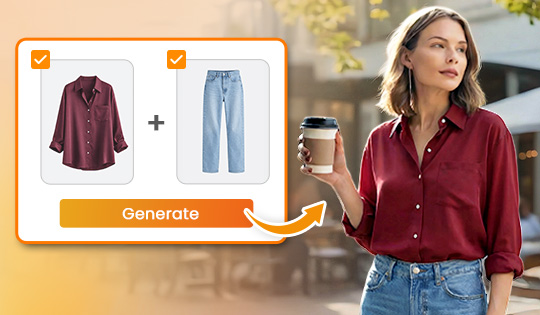
Virtually try on outfits using images or generated looks and instantly visualize styles. Explore aesthetics, refine your look, and turn fashion ideas into shareable, creative visuals.
Now supports Kling 2.6 and Kling O1 models, delivering smoother motion and higher-quality results in Image to Video.
Text to Image now supports Flux.2 Pro, GPT-1.5, Kling O1, and Z-Image models, enabling more accurate, higher-quality images from text prompts.
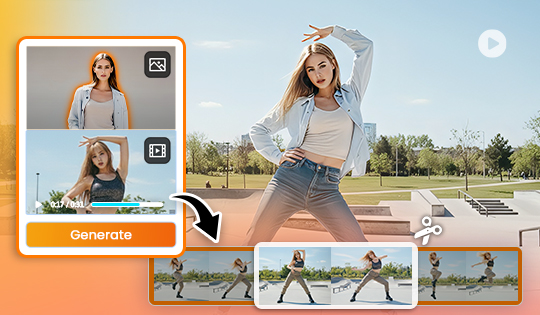
Trim long clips into shorter reference clips before generation to target precise gestures, improve accuracy, accelerate processing, and reduce unnecessary compute costs.
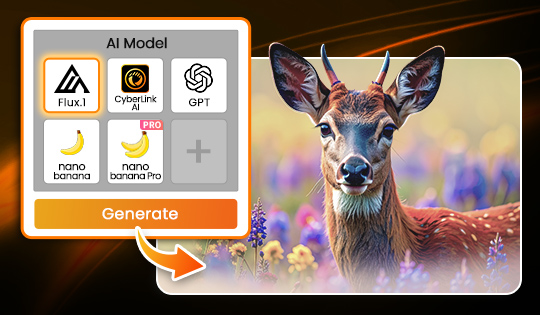
Generate images from text using leading AI models like Nano Banana, GPT Image, FLUX, and more. Choose the AI model that delivers the exact look, detail, or style you need without leaving your workflow.
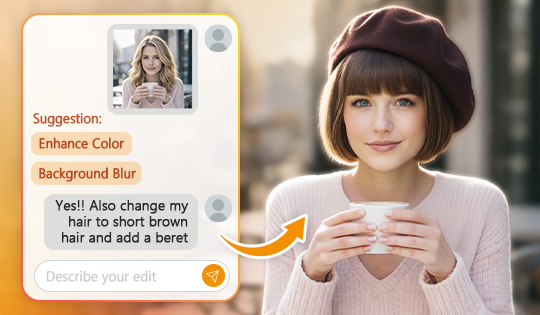
Editing just got more intuitive. Tell Edit by Chat what you want to change, or pick from smart suggestions, then keep refining your photo until it feels right, all in one continuous flow.
Access the latest third-party AI models in one centralized hub. Experiment with new AI-powered features as soon as they’re released and stay current as AI models continue to evolve.
Turn still images into dynamic motion. Pick the AI model that best matches your creative goal directly from a single control in your editing window, and watch your ideas move effortlessly.
